

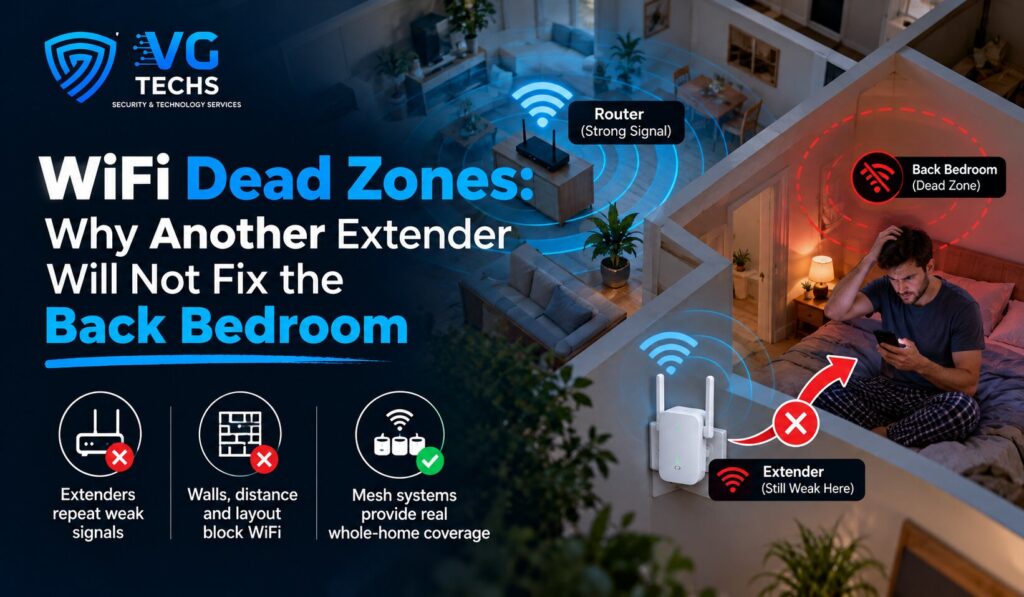
The usual sequence goes like this. One room is unusable, so you buy an extender. The extender helps a little, in a different spot, and introduces a second network name that devices cling to long after they should have let go. A year later you buy a mesh kit, and the back bedroom is still the back bedroom.
The equipment is not the problem. The assumption behind it is.
Why this is harder in a Perth home
Brick is one of the least forgiving materials a wireless signal can meet, and here it is not only on the outside of the house. Double brick construction puts solid walls between internal rooms as well, so a signal leaving the router may pass through several of them before it reaches the far end of the house. Reflective foil sarking in the roof adds its own contribution for anyone hoping a node upstairs will reach the floor below.
This is why the signal on the alfresco is often better than the signal two rooms away indoors. It left through a window and a sliding door rather than through three walls.
What an extender is actually doing
A device that repeats a wireless signal has to receive and retransmit on the same radio, which roughly halves the throughput passing through it. Everything downstream of that node inherits the reduction.
There is a more awkward problem with placement. A node can only rebroadcast what it receives, so it has to sit somewhere the signal is still strong. That means the correct position for it is usually not in the dead zone, but partway there, in a hallway nobody thinks of as having a problem. Put it in the room that drops out, and all you have built is a strong local copy of a weak signal.
Mesh systems handle this more gracefully than old extenders did, and some use a dedicated radio for the link back to the router, which helps considerably. None of them changes the physics of what is between the node and the router.
The router is probably in the wrong place, and that is not your fault
Routers do not end up in the middle of the house. They end up wherever the connection from the street was terminated, which is frequently a garage, a front study or a corner of the house chosen for the convenience of the person installing it. From there, half the coverage is radiating into the front yard. We wrote about getting that position right when pre-wiring a new build, because it is far easier to decide once than to work around forever.
Weak wireless is a security problem, not just a streaming one
Buffering is annoying. The other consequences are worse. Cameras on wireless drop out intermittently and the gaps appear in the recording, not in the live view, so nobody notices until the footage is needed. Alarm panels using wireless for notifications fail quietly in the same way.
The front door is the usual casualty, because it is often the furthest point in the house from the router with the most brick in between, which is exactly why video doorbells and intercoms connect perfectly during setup and misbehave afterwards. A device that depends on wireless is only as reliable as the coverage at the spot it is mounted.
What actually fixes it
A wireless access point with a cable back to the router. The cable carries the data, so nothing is being halved, and it carries the power as well, so no outlet is needed at the mounting position.
Mounted on a ceiling rather than sitting on a shelf, an access point radiates down and outward through plasterboard instead of sideways through brick. Two well-placed access points in an average single-storey home usually outperform a shelf full of consumer gear, and devices move between them without dropping the connection as you walk through the house.
The other quiet benefit is that properly configured access points share one network name. Phones and laptops hand over between them as you move around, rather than clinging to the weakest signal in the house because they joined it in the kitchen an hour ago. That single behaviour accounts for a large share of complaints that sound like dead zones but are really devices refusing to let go.
Access points, cameras and door stations all share the same pathways, which is why this is usually quoted alongside data and network cabling rather than as a separate exercise.
Sometimes the problem is not coverage at all
Three other causes are worth ruling out before spending anything. In a dense new estate, every neighbour’s network competes for the same channels, and congestion looks exactly like poor coverage from the inside. Faster bands travel shorter distances and cope less well with brick, so a device may be connected to a band that cannot reach it well. And if the internet service itself is the limit, no amount of indoor hardware will change the result.
Each of those has a different fix, which is the reason a quick check beats buying another box.
Frequently asked questions
Will a newer, more expensive router fix my dead zones?
Rarely. A better router improves what happens at the router, including how many devices it can handle at once and how fast the closest ones go. It does not change how far a signal travels through brick. If the complaint is about one room rather than the whole house, spending more on the router usually buys very little.
Can I use powerline adapters instead of running cable?
They are worth trying, and they sometimes work well. The results depend entirely on the wiring in the building, since the adapters need to be on the same circuit to perform properly, and houses are frequently split across several. Treat them as a cheap experiment rather than a solution you plan around, and keep the receipt.
Where should an access point be mounted?
On the ceiling, near the centre of the area it serves, away from metal and away from the water heater or anything else dense. Hallways are often ideal because they touch several rooms at once. The instinct to hide one in a cupboard or behind a television undoes most of the benefit of fitting it.
How many does a typical house need?
Most single-storey homes are well covered by two, positioned toward opposite ends of the living areas. Two-storey homes and anything with a detached studio, granny flat or shed usually need a third. The number matters less than the placement, and a short walk around the house with a signal reading settles it quickly.
We find out whether it is coverage or congestion before quoting hardware
Dead zones have several causes, and they look identical from the sofa. We walk the property, take readings at the points that actually matter to you, and tell you whether the answer is a cable, a reposition, a channel change or something upstream that no equipment in the house will fix. Sometimes the recommendation costs nothing. VG Techs is a registered cabler, Master Cabler A045514, and also holds Security Licence No. 71264 and WA Security Provider 7126.
If there is a room, a shed or a camera that keeps dropping out, call 0472 652 026, email admin@vgtechs.com.au, or book a site visit. Based in Piara Waters, servicing greater Perth from Rockingham to Joondalup, Monday to Friday, 8 am to 6 pm.